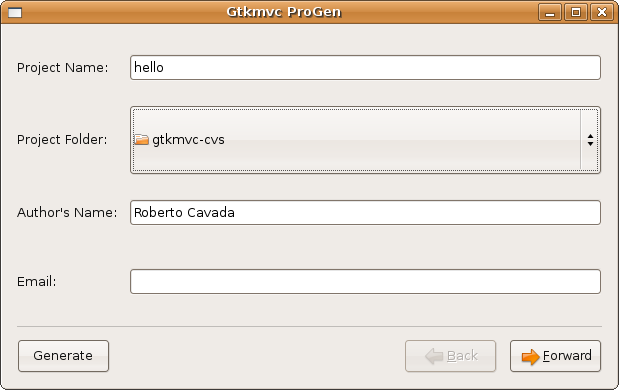
Since version 1.2.0 a little application called gtkmvc-progen is available to help setting up from scratch a new application based on pygtkmvc. gtkmvc-progen is available both as a command-line program and as a GUI application.
By the way, the source code of gtkmvc-progen is simple and can be exploted to learn more about gtkmvc-based applications. A model carries out all the work, and a controller/view pair provides the GUI if needed.
gtkmvc-progen can be executed either locally from the script directory, or can be executed as any other program if pygtkmvc has been officially installed on the hosting system.
From the local script directory:
$> python gtkmvc-progen name=hello author="Roberto Cavada" gui=no
If pygtkmvc was installed:
$> gtkmvc-progen name=hello author="Roberto Cavada" gui=no
``name=hello'' is an example of setting of a property that customizes the way gtkmvc-progen works. See the user manual for a full list.
A new directory called hello will be created in the current directory (as property destdir is ``.'' by default.
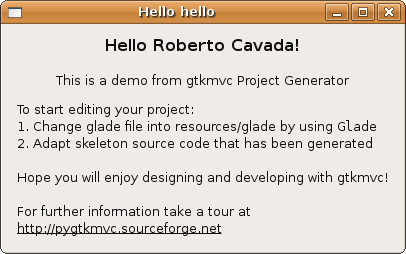
Let us run now the resulting application skeleton.
$> cd hello
$> ls
hello.py  resources  src

$> python hello.py